Add a Custom Localization
Overview of Localization
Section titled “Overview of Localization”By default, the React PDF Viewer component includes built-in translations for five languages: English, Chinese, German, Italian, Portuguese and Thai If your preferred language isn’t available, you can follow this guide to easily add custom languages to suit your needs.
Tutorial for Adding Custom Localization
Section titled “Tutorial for Adding Custom Localization”In this tutorial, we’ll use Portuguese (pt_PT) as an example.
To start off, we first set the locale and localization props in the RPProvider component:
<RPProvider locale={customLang} localization={{ customLang: { .... } }}>After setting the locale and localization props, we can override the available localization keys for the custom language.
📌 INFO
Section titled “📌 INFO”Please note that you’ll need to specify each localization key. Any keys that are not overridden will be displayed as blank for tooltips or as undefined for labels. To avoid this, you can import
Localesto ensure that any unspecified keys fall back to the imported language (e.g.,...Locales.en_US).
import { RPProvider, RPLayout, RPPages, Locales } from '@react-pdf-kit/viewer'
export const AppPdfViewer = () => {  const customLang = 'pt_PT'  const localization = {    [customLang]: {      // Import the English localization as a fallback      ...Locales.en_US,      firstPageLabel: 'Ir para a primeira página',      lastPageLabel: 'Última página'    }  }  return (    <RPProvider      src="https://cdn.codewithmosh.com/image/upload/v1721763853/guides/web-roadmap.pdf"      locale={customLang}      localization={localization}    >      <RPLayout toolbar>        <RPPages />      </RPLayout>    </RPProvider>  )}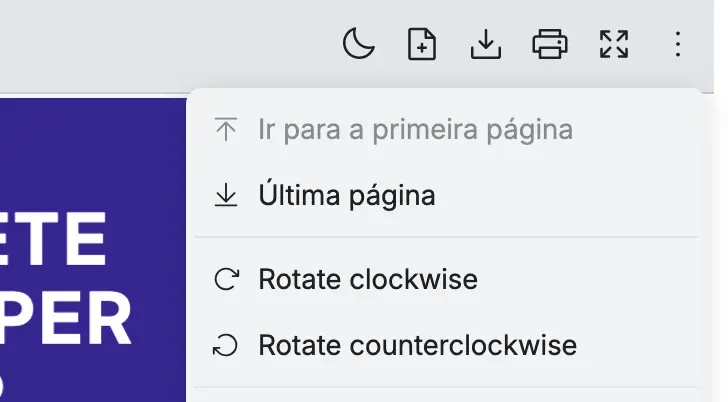
⚠️ Caution: If You Don’t Use the Locales Object, It Will Appear Blank
Section titled “⚠️ Caution: If You Don’t Use the Locales Object, It Will Appear Blank”Below is an example code of the localization without using the Locales object:
import { RPProvider, RPLayout, RPPages } from '@react-pdf-kit/viewer'
export const AppPdfViewer = () => {  const customLang = 'pt_PT'
  // Custom localization without using the Locales object  const localization = {    [customLang]: {      firstPageLabel: 'Ir para a primeira página',      lastPageLabel: 'Última página'    }  }  return (    <RPProvider      src="https://cdn.codewithmosh.com/image/upload/v1721763853/guides/web-roadmap.pdf"      locale={customLang}      localization={localization}    >      <RPLayout toolbar>        <RPPages />      </RPLayout>    </RPProvider>  )}
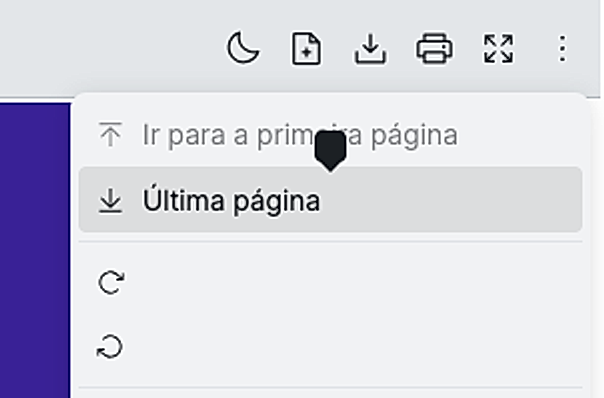
Here is a screenshot of the labels overridden in the codes:
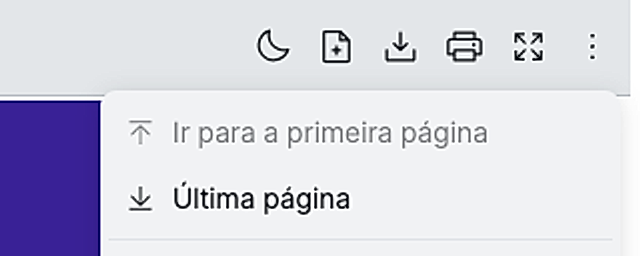
If a localization key is not overridden, it will appear blank, as shown in the tooltip in the image below: