useSearchContext
The useSearchContext hook in React PDF Kit provides access to the search state and functions for a targeted keyword or string.
Text highlight is performed on the searched keyword or string and will navigate to the first occurrence of the searched term.
This is useful when building custom search interfaces or displaying search results from a PDF document.
Note: If you are looking to highlight multiple keywords or strings at the same time, useHighlightContext is recommended.
Return Type
Section titled “Return Type”| Name | Type | Description |
|---|---|---|
| search | string | The current search query string |
| setSearch | Dispatch<SetStateAction<string>> | Update the search query string. This triggers a new search with the provided query |
| loading | boolean | Indicate whether the search is in progress |
| matches | MatchValue[] | An array containing all the search matches found in the document. Each match contains information about its position and content |
| totalMatches | number | The total number of matches found in the document |
| currentMatchPosition | number | The index of the currently selected search match (1-based). For example, if there are 5 total matches and the second match is selected, this value would be 2 |
| currentMatch | MatchValue | null | The current match |
| nextMatch | () => void | Navigate to the next match |
| prevMatch | () => void | Navigate to the previous match |
| searchOptions | SearchOptions | The search options |
| setSearchOptions | Dispatch<SetStateAction<SearchOptions>> | Update the search options |
| setCurrentMatchPosition | Dispatch<SetStateAction<number>> | Update the current match position (starts from 1) |
To ensure the search context can be accessed, you will need to use useSearchContext inside a component which is a child of RPProvider.
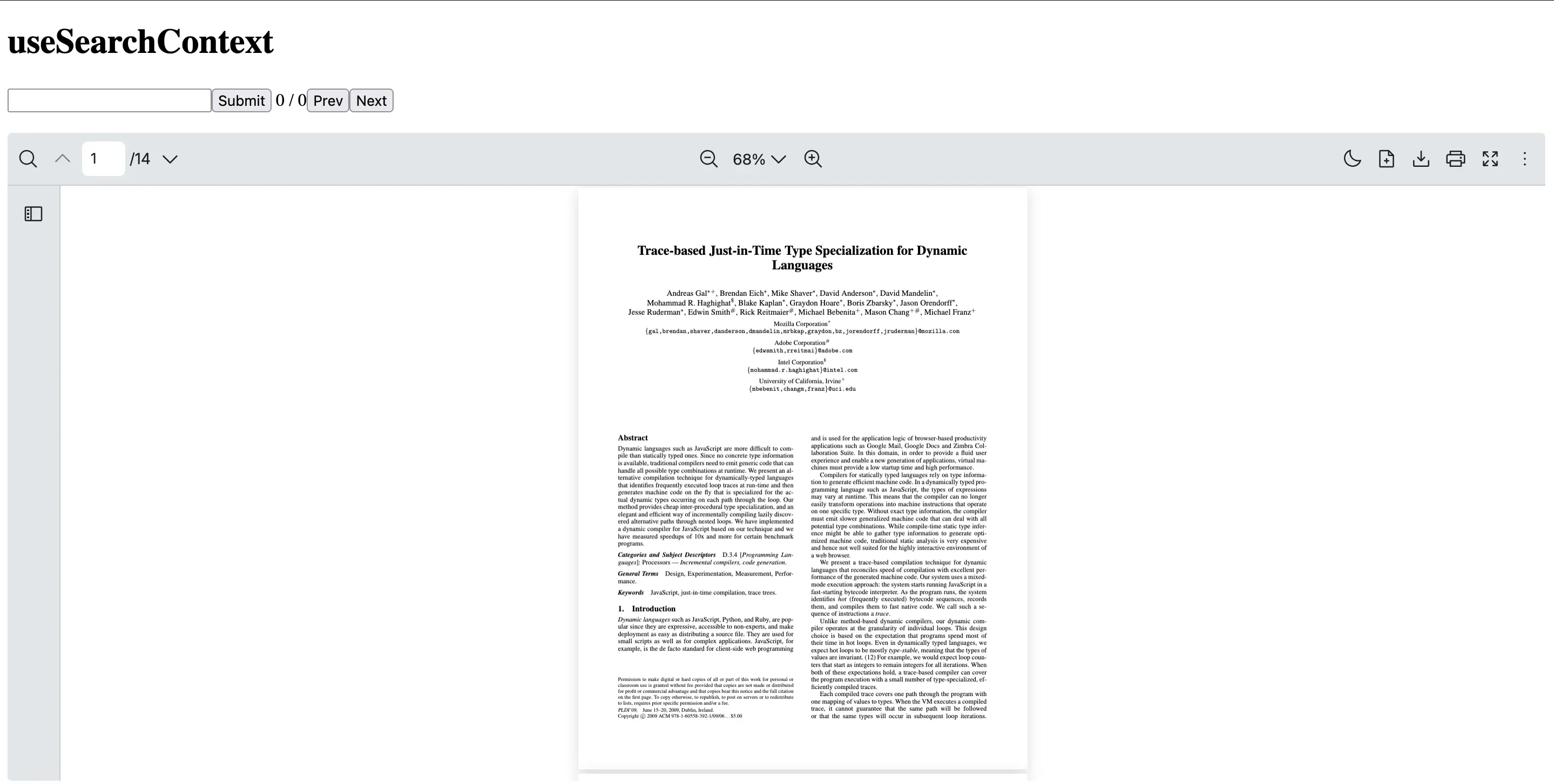
This example shows how to create a CustomSearch component which uses useSearchContext hook to handle the search functionality.
import { useState, useCallback } from 'react'import { RPConfig, RPProvider, RPLayout, RPPages, useSearchContext } from '@react-pdf-kit/viewer'
const CustomSearch = () => {  const { search, setSearch, currentMatchPosition, totalMatches, nextMatch, prevMatch, loading } = useSearchContext()
  const [searchValue, setSearchValue] = useState(search)
  const handleChange = useCallback((e) => {    setSearchValue(e.target.value)  }, [])
  const handleSubmit = useCallback(() => {    setSearch(searchValue)  }, [searchValue, setSearch])
  const handleNext = useCallback(() => {    nextMatch()  }, [nextMatch])
  const handlePrev = useCallback(() => {    prevMatch()  }, [prevMatch])
  return (    <div>      <input value={searchValue} onChange={handleChange} />      <button onClick={handleSubmit}>Submit</button>      <span>        {currentMatchPosition} / {totalMatches}      </span>      <button onClick={handlePrev}>Prev</button>      <button onClick={handleNext}>Next</button>      {loading && <div>searching...</div>}    </div>  )}
export const AppPdfViewer = () => {  return (    <RPConfig licenseKey="YOUR_DOMAIN_TOKEN">      <RPProvider src="https://raw.githubusercontent.com/mozilla/pdf.js/ba2edeae/web/compressed.tracemonkey-pldi-09.pdf">        <CustomSearch />        <RPLayout toolbar>          <RPPages />        </RPLayout>      </RPProvider>    </RPConfig>  )}
import { useState, useCallback, type FC, type ChangeEvent } from 'react'import { RPConfig, RPProvider, RPLayout, RPPages, useSearchContext } from '@react-pdf-kit/viewer'
const CustomSearch: FC = () => { const { search, setSearch, currentMatchPosition, totalMatches, nextMatch, prevMatch, loading } =useSearchContext()
const [searchValue, setSearchValue] = useState(search)
const handleChange = useCallback((e: ChangeEvent<HTMLInputElement>) => { setSearchValue(e.target.value) }, [])
const handleSubmit = useCallback(() => { setSearch(searchValue) }, [searchValue, setSearch])
const handleNext = useCallback(() => { nextMatch() }, [nextMatch])
const handlePrev = useCallback(() => { prevMatch() }, [prevMatch])
return ( <div> <input value={searchValue} onChange={handleChange} /> <button onClick={handleSubmit}>Submit</button> <span> {currentMatchPosition} / {totalMatches} </span> <button onClick={handlePrev}>Prev</button> <button onClick={handleNext}>Next</button> {loading && <div>searching...</div>} </div> )}
export const AppPdfViewer: FC = () => { return ( <RPConfig licenseKey="YOUR_DOMAIN_TOKEN"> <RPProvider src="https://raw.githubusercontent.com/mozilla/pdf.js/ba2edeae/web/compressed.tracemonkey-pldi-09.pdf"> <CustomSearch /> <RPLayout toolbar> <RPPages /> </RPLayout> </RPProvider> </RPConfig> )}