useScrollModeContext
The useScrollModeContext hook provides access to the scroll mode state and a setter function for controlling how pages are scrolled within React PDF Kit.
It enables you to switch between vertical, horizontal, and page-by-page scrolling modes, or create custom UI elements that toggle the scroll mode.
Return Type
Section titled “Return Type”| Name | Type | Description |
|---|---|---|
| scrollMode | ScrollMode | The current scroll mode of the PDF viewer |
| setScrollMode | (mode: ScrollMode) => void | Set the scroll mode |
To ensure the scroll mode context can be accessed, you will need to use useScrollModeContext inside a component which is a child of RPProvider.
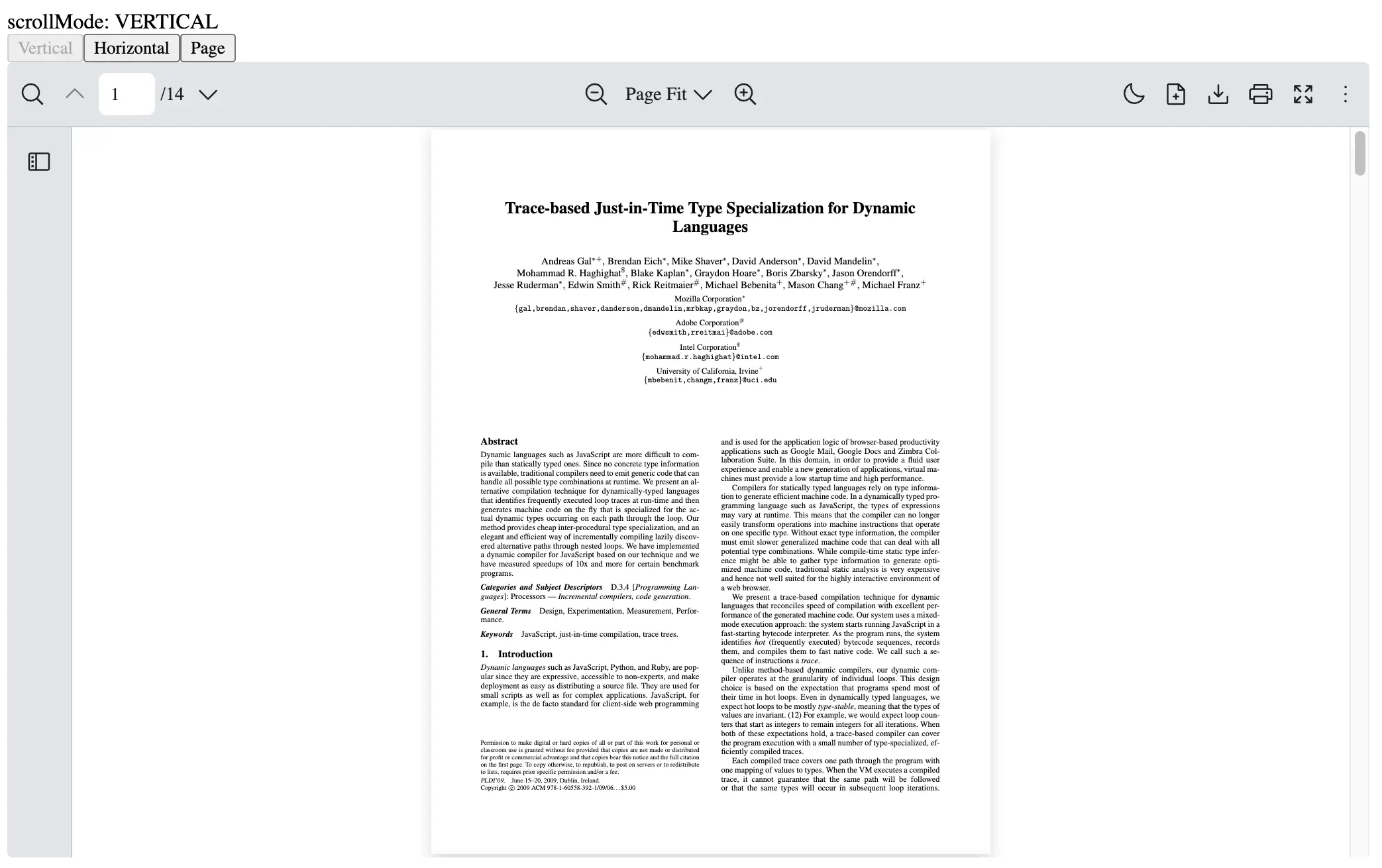
This example shows how to create a CustomScrollMode component which uses useScrollModeContext to read and change the scroll mode.
import React from "react";import {  RPConfig,  RPProvider,  RPLayout,  RPPages,  useScrollModeContext,  ScrollMode,} from "@react-pdf-kit/viewer";
const CustomScrollMode = () => {  const { scrollMode, setScrollMode } = useScrollModeContext();
  return (    <div>      <div>scrollMode: {scrollMode}</div>      <button        disabled={scrollMode === ScrollMode.VERTICAL_SCROLLING}        onClick={() => setScrollMode(ScrollMode.VERTICAL_SCROLLING)}      >        Vertical      </button>      <button        disabled={scrollMode === ScrollMode.HORIZONTAL_SCROLLING}        onClick={() => setScrollMode(ScrollMode.HORIZONTAL_SCROLLING)}      >        Horizontal      </button>      <button        disabled={scrollMode === ScrollMode.PAGE_SCROLLING}        onClick={() => setScrollMode(ScrollMode.PAGE_SCROLLING)}      >        Page      </button>    </div>  );};
export const AppPdfViewer = () => {  return (    <RPConfig licenseKey="YOUR_DOMAIN_TOKEN">      <RPProvider src="https://raw.githubusercontent.com/mozilla/pdf.js/ba2edeae/web/compressed.tracemonkey-pldi-09.pdf">        <CustomScrollMode />        <RPLayout toolbar>          <RPPages />        </RPLayout>      </RPProvider>    </RPConfig>  );};
import React, { FC } from "react";import { RPConfig, RPProvider, RPLayout, RPPages, useScrollModeContext, ScrollMode,} from "@react-pdf-kit/viewer";
const CustomScrollMode: FC = () => { const { scrollMode, setScrollMode } = useScrollModeContext();
return ( <div> <div>scrollMode: {scrollMode}</div> <button disabled={scrollMode === ScrollMode.VERTICAL_SCROLLING} onClick={() => setScrollMode(ScrollMode.VERTICAL_SCROLLING)} > Vertical </button> <button disabled={scrollMode === ScrollMode.HORIZONTAL_SCROLLING} onClick={() => setScrollMode(ScrollMode.HORIZONTAL_SCROLLING)} > Horizontal </button> <button disabled={scrollMode === ScrollMode.PAGE_SCROLLING} onClick={() => setScrollMode(ScrollMode.PAGE_SCROLLING)} > Page </button> </div> );};
export const AppPdfViewer: FC = () => { return ( <RPConfig licenseKey="YOUR_DOMAIN_TOKEN"> <RPProvider src="https://raw.githubusercontent.com/mozilla/pdf.js/ba2edeae/web/compressed.tracemonkey-pldi-09.pdf"> <CustomScrollMode /> <RPLayout toolbar> <RPPages /> </RPLayout> </RPProvider> </RPConfig> );};